Adjust Timings dialog box
To open this dialog box, click the  Adjust Timings button in the Talking Book Tool.
Example
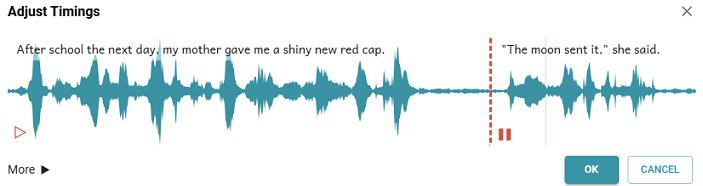
- You can play (
 ) and pause (
 ) the audio for each segment. Here is how a segment lines looks:

-
Segment lines in this dialog box may be segment markers that pause-based or aeneas added and any you inserted with the Insert Segment Marker control.
-
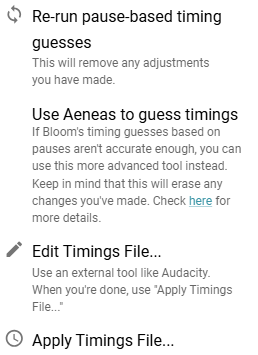
The More (
 ) button opens this list of options:
Tip
-
You can save more than one timing file with different names. Then, choose and apply the one that you want to use.