Template Starter
Template Starter is one of the templates in the left pane of the Collections tab. You can use it to provide a set of related page layouts that authors can choose while authoring an original book.
You can do the steps in Make a template from the Template Starter template. These two options are available to authors:
-
They can use it as the book template when they make a new book.
-
They can add pages from your template to books that they made using a different template or shell book.
Usually text and picture boxes on these pages will be empty, ready for an author to fill in. But sometimes there may be standard text or pictures that should be on every copy of the page. In this case, you may want to make a template in a local language collection so the standard text is in the correct language.
Note
-
Important How to use the Template Starter information appears in the right pane when you click this template.
-
Notice that the page label box (top left corner) is editable.
Example:
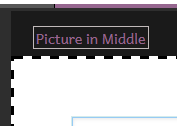
Give each page you add a meaningful label.
Unfortunately, at this time we do not have any mechanism for template books made by end users to have localizable labels.
-
You can share your template in a number of ways, including publishing it to BloomLibrary.org.